Taking a photo takes only a second, but editing it can bring it to life. You can spend countless hours meticulously retouching a single image using expensive professional software, or you can open Meitu Xiu Xiu and create a seemingly casual yet stunning work in just ten minutes. The difference lies not in the tools, but in your mastery of them.
Filters are just the starting point, style creation begins with “fine-tuning”
The first thing many users do after opening MeituXiuXiu(美图秀秀) is apply filters. Indeed, filters can instantly change the tone of an image and are the most intuitive way to modify it. However, if you truly want to enhance the quality of an image, a single filter alone is far from enough.
HSL adjustment – the ultimate magic weapon for color adjustment
The HSL (Hue, Saturation, Lightness) function allows you to control the appearance of each color individually. For example:
- Want a more natural skin tone? Reduce the saturation of orange.
- Want to make the sky bluer? Adjust the brightness and saturation of blue.
- Feeling too cold overall? Increase the hues of yellow and red to add warmth.
This “color-based” adjustment method is much more advanced than brightening or contrasting the entire photo, and is more in line with the “texture” requirements.
Curve Tool – The Sculptor of Light and Shadow
Curves are one of the core skills of post-production photography. In Meitu Xiuxiu, they also play an important role:
- Brighten the dark areas without affecting the highlights;
- Create slight contrast to make the characters stand out from the background;
- Create “cinematic” tones like light green highlights and warm red shadows.
It is not as rough as the brightness slider, but it delicately adjusts the different brightness areas of the photo, which is suitable for users who pursue a unified style.
Reshaping facial features is not the same as “plastic surgery”, but a reasonable adjustment of focus
The popular “beautification” tool in Meitu秀秀 XiuXiu is often criticized for “editing people into another species.” However, its real purpose isn’t simply to slim down the face and enlarge the eyes, but to balance the features through appropriate adjustments.
The refined mode is the choice of professional players
Switch to “Fine Adjustment” mode, and you can adjust the area by area:
- The nose bridge is high but not too thin;
- Slightly raising the corners of the mouth increases affinity;
- Closer eye distance makes the expression more focused.
The key is to preserve the characteristics and reduce the abruptness. After all, the real master of photo editing is not to make people more beautiful, but to make them look more “like themselves”.
The secret of texture lies in skin and light and shadow
What makes a photo high-quality is not just the color, but also the details. Skin texture, lighting, and the cleanliness of the background all determine whether a photo can be called “textured.”
Skin Texture Restoration Tips
The “skin smoothing” function in Meitu Xiuxiu can easily remove blemishes, but if used evenly on the entire face, it will easily distort the image.
- Combine “intelligent microdermabrasion” and “local application”;
- Leave texture under the eyes and near the nose to avoid a “plastic feel”;
- After adding “Even Skin Tone”, use “Light Effect” appropriately to enhance the soft focus effect.
Light and shadow determine the sense of layering
Using the “Light and Shadow Effects” to add shadows or rim light to a portrait will make the subject more three-dimensional. If there is no fill light when shooting, fill light in post-production becomes the key to improving the texture.
Images are not just about editing, composition and atmosphere are also worth polishing
Even if the photo is mediocre, reasonable composition and background processing can still make the photo look brand new.
Re-focus with Cropping
Use the cropping tool to place the subject on the golden section line or in the center, which often makes it more eye-catching than the original image. At the same time, you can also crop out the messy background to make the picture cleaner.
Replace background and add atmosphere effects
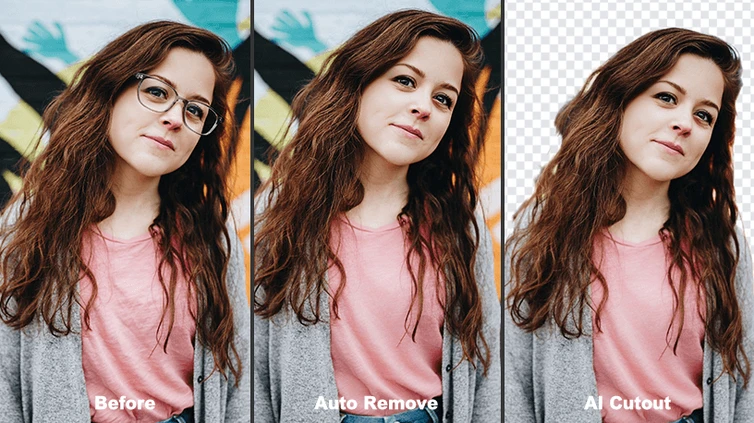
Meitu’s AI-powered cutout and background replacement features are quite sophisticated. Transform your selfies into travel photos with a single tap, swapping out backgrounds like city scenes, beaches, or grasslands. Add a touch of flare or grain for a film-like feel.
In addition to color, fonts and borders determine your “visual language”
Once the image is 80% complete, if you want it to attract attention on social media, the text layout and borders are the finishing touches.
Font selection determines style and tone
Meitu has dozens of built-in Chinese fonts, ranging from minimalist to girly. You can:
- Travel photos paired with handwritten fonts such as “清松手写”;
- Selfies use “Boundless Black” to maintain a minimalist tone;
- Food pictures are suitable for rounded fonts such as “Alibaba Puhui Font”.
Choosing the right font can attract more attention than the content itself.
Frames and stickers – embellishment without overshadowing
Many users overuse stickers and borders, making the screen too complicated. It is recommended to use simple white space or a border with a uniform tone, such as:
- Film border + light grain;
- White frame + warm tones;
- The black border + text watermark forms a closed loop of composition.
No matter how powerful the photo editing software is, it still depends on your style judgment
Meitu XiuXiu has provided us with almost all one-click tools, but to truly achieve “high quality”, you still need to judge for yourself what is suitable for you and what is suitable for this photo.
From blind filters to precise color adjustment, from the same old “Internet celebrity face” to beauty that retains individuality, every little trick points to the same goal: to express your own aesthetic through photo editing, rather than catering to the eyes of others.
Meitu is not just a photo editing software, it is also a place to practice visual language
Meitu XiuXiu is far more than just a skin-refining tool; it’s a comprehensive platform that helps everyone cultivate their aesthetic sense, practice composition, understand color, and express style. To truly master it, you don’t need expensive equipment or specialized knowledge; all you need is a little practice, a keen eye, and an eye for beauty.